X-AISOLUTIONSTUNING | Custom ECU & TCU Tuning

SYSTEM ONLINEAUTOMATED 24/7

X-AiSolutionsTuning

Automated tuning-file portal
Auto File Processing

Upload. Detect. Download.

Automatic ECU / SW / HW identification. DPF, EGR, AdBlue, Lambda, Start-Stop and more – applied in seconds, 24/7.

Verified per software

No guessing. No wrong files.

Every solution is byte-verified against your exact software number. Unknown file? Our engineers reply through the built-in ticket.

Hex Compare
Hex Compare

See exactly what changed.

Compare original and modified files side by side, jump between differences, full-screen.

VAG originals library

Free original files.

Search by software number, download the original read instantly.

Upload the read. Get the solution in seconds.

Automatic ECU / software / hardware identification, byte-verified DPF · EGR · AdBlue · Lambda · Start-Stop solutions, instant download — and an engineer one ticket away when your software is new.

Portal login

Secure

Don’t have an account?

Create free account

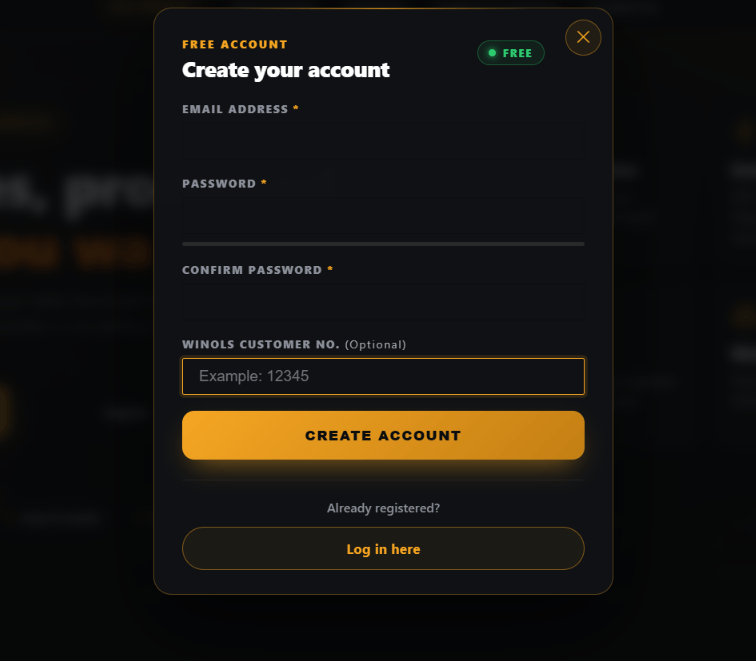
Create account

Free
⚠️ Password must contain letters AND numbers!

Already registered?

Log in here
Instant downloadSolutions apply in seconds; the modified file downloads from the same page.
Verified per softwareEvery solution is matched to your exact software and hardware number — never a guess.
Engineer on ticketNew software? Open a ticket and download the engineer’s file when it is ready.
WinOLS resellerAdd us in WinOLS and apply solutions with F7 without leaving the software.

One subscription. Unlimited emissions solutions.

Monthly or yearly plan covers DPF · EGR · AdBlue · Lambda · Start-Stop · Vmax and more on every file. Credits only for tuning stages, TCU, Pops & Bangs and Launch Control.

Create account & choose a plan

How it works

1

Create account

Register with your email, activate it, and pick a monthly or yearly plan. Add your WinOLS customer number to unlock the F7 reseller panel.

2

Upload the read

Drop the original file. The portal identifies ECU, software and hardware and shows every solution available for that exact software — switches you turn off.

3

Download & flash

Get the modified file instantly. No solution yet for your software? Open a ticket — an engineer prepares it and you download it from the same page.

Supported ECUs

BOSCH EDC17 / MED17
BOSCH MD1 / MG1
SIEMENS PCR2.1
DELPHI DCM
TEMIC TCU (DSG)
ZF TCU (8HP)
SUPPORTED TOOLS: AUTOTUNERKESS3CMD FLASHTECBFLASHMAGIC MOTORSPORTALIENTECH
×

AVAILABLE SOLUTIONS

DPF
Active Grill Shutter
Glow Plug
Readiness Calibration
Torque Monitor
EGR
CAT/KAT
GPF/OPF
Immo Virgin – EPROM
RPM Soft Limiter Removal
TPROT
Adblue
Cylinder On Demand OFF
Hotstart
MAF
SAP
TVA
LAMBDA
EVAP
Immo Off (EPROM)
NOX
Sport Displays Calibration
VMAX
FLAPS (Swirl)
Exhaust Valve OFF
Immo Off (FLASH)
Oil Pressure Fix
Start-Stop
Water Pump
Stage1 (2.0)
Pops&Bangs (Switchable)
Pops&Bangs (1.0)
E85 Conversion (3.0)
Launch Control Activation
Eco Tune (2.0)
FCA Unlock (1.0)
Farts (GOLF / SIMOS18)
Stage1+ (3.0)
HardCut (1.0)
×

WINOLS RESELLER INTEGRATION

Access our entire database of tested original and tuning files directly inside your WinOLS software using the F7 Reseller Panel. Fast, secure, and seamless.

1

Link Your EVC Account

Register an account on our web portal. During registration, ensure you enter your official WinOLS Customer Number. If you already have an account, update your profile settings with your EVC number to link both platforms instantly.
2

Update WinOLS Registry

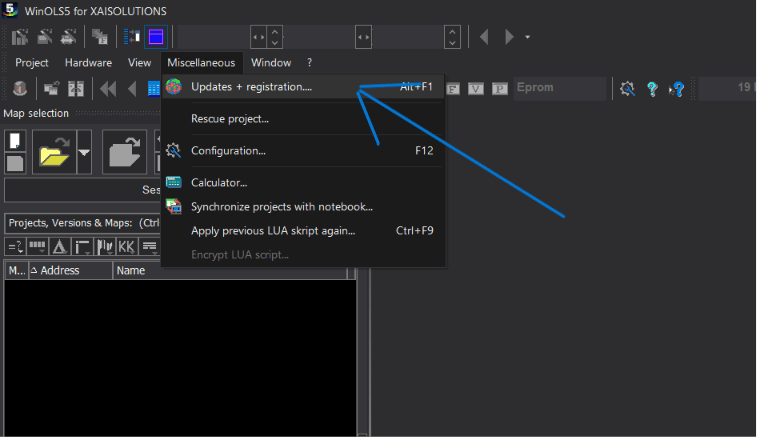
In the top menu of your WinOLS software, go to the “Miscellaneous” tab and select “Updates + Registration”. This will synchronize your software with our servers and activate the integration.

3

Add Us As A Reseller

Open your WinOLS software and navigate to the Reseller Panel. Search for our database using the name X-AiSolutionsTuning. Click ‘Add’ to establish a secure connection between your WinOLS and our server.

4

Press F7 & Download

You’re all set! Open any read project in WinOLS, simply press F7 on your keyboard, and select X-AiSolutionsTuning. Choose the solution you need and apply it directly to your file without leaving the software.